
The system
What we build, layer by layer
Every system follows the same line: from the sources you already have, to checked data, to your rules, to decisions a person reviews, to a screen for each role, to an action taken only when someone approves it.
Layer by layer
Six layers, in the same order every time
Your sources
Till exports, bookings, spreadsheets, accounts and what staff know. Each one is listed with who owns it and how often it arrives.
Checked data
Each source put into one shape, with its freshness shown and any rows that fail a check kept in view, not dropped.
Your rules
How your business actually works, written down as rules you can read and change: what counts as low stock, who signs off an order.
Decisions
Flagged for review with the sources they used, how sure they are, and the person who must approve them.
Your screens
An owner app and a page for each role. The owner sees everything; a site manager sees their site.
Approved action
The change goes back to the tool it belongs in, after a person says yes. Automation is added once the data can be trusted.
What a screen shows
Every screen shows its working
A number on its own asks you to believe it. Each screen we build carries five layers, so whoever is looking can see where a figure came from, how fresh it is, and what is waiting for them.
Morning check
An example café
Status
Ready, stale, blocked or waiting for review, in words.
- Needs review
Sources
What arrived, when, and who owns it.
- Till export: arrived this morning
- Bookings: arrived this morning
- Stock sheet: missing since Tuesday
Data health
What did not pass a check, kept in view.
- Three till items not matched to a dish
- One booking held as a possible duplicate
Decision
The recommendation, why, how sure, and who approves.
- Order more oat milk
- From the stock sheet and four weeks of till sales
- Medium confidence: the stock sheet is two days old
- Approver: the manager
Waiting for you
What a person must decide, and nothing else.
- Approve the order
- Match the three items
- Ask for the stock sheet
On screen
The layers, on working screens
Two interfaces built this way, on test and made-up data: the one we run our own work on, and the app a business owner opens each morning. Select an image to see it full size.
Systems and interface
The interface we run our own work on
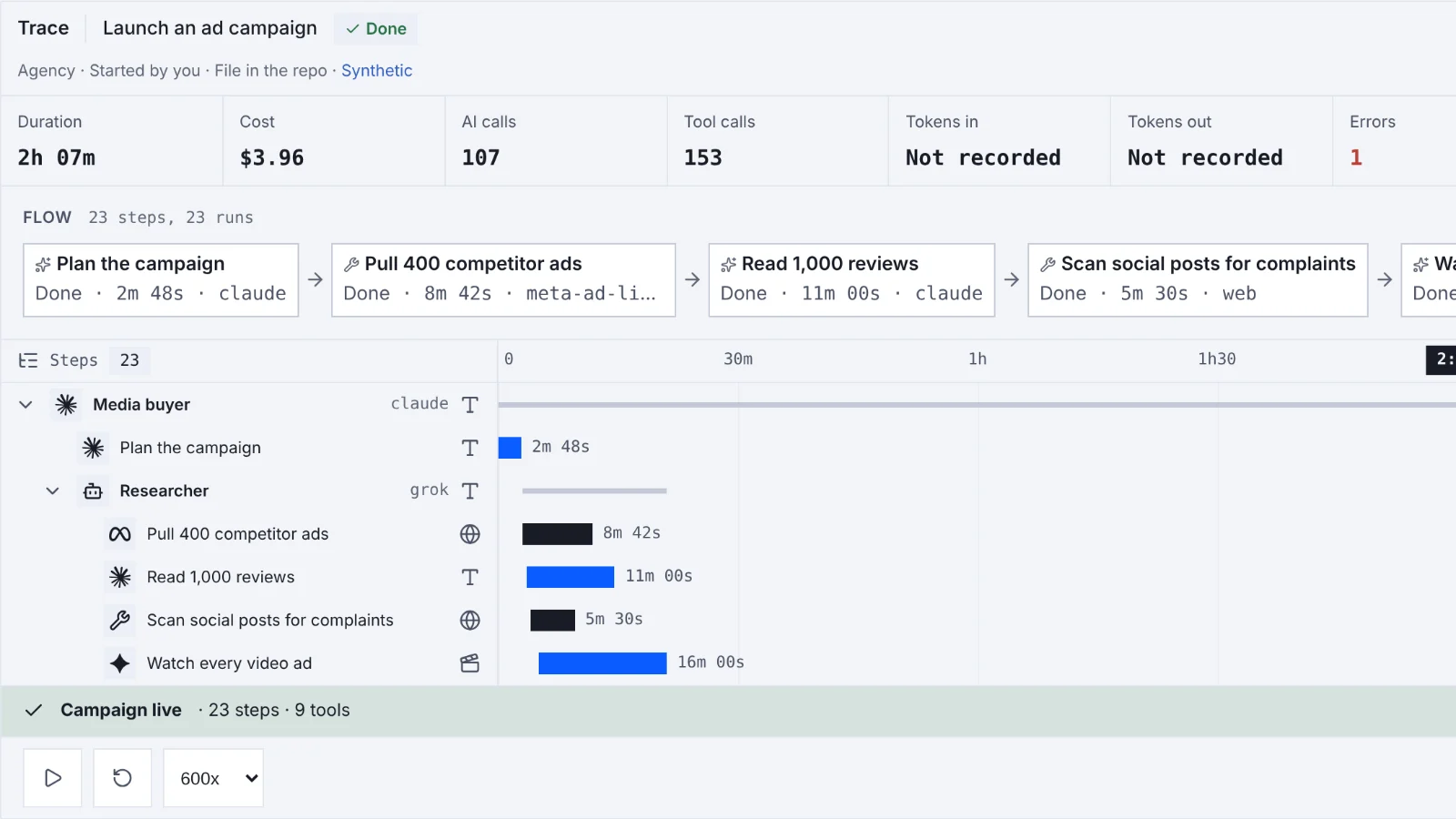
Our owner interface, shown on its test data: every piece of software mapped by department, how work flows from sources to an approved action, one department as a pipeline of jobs, the board where agent work waits for a person, and a made-up example run replayed step by step.
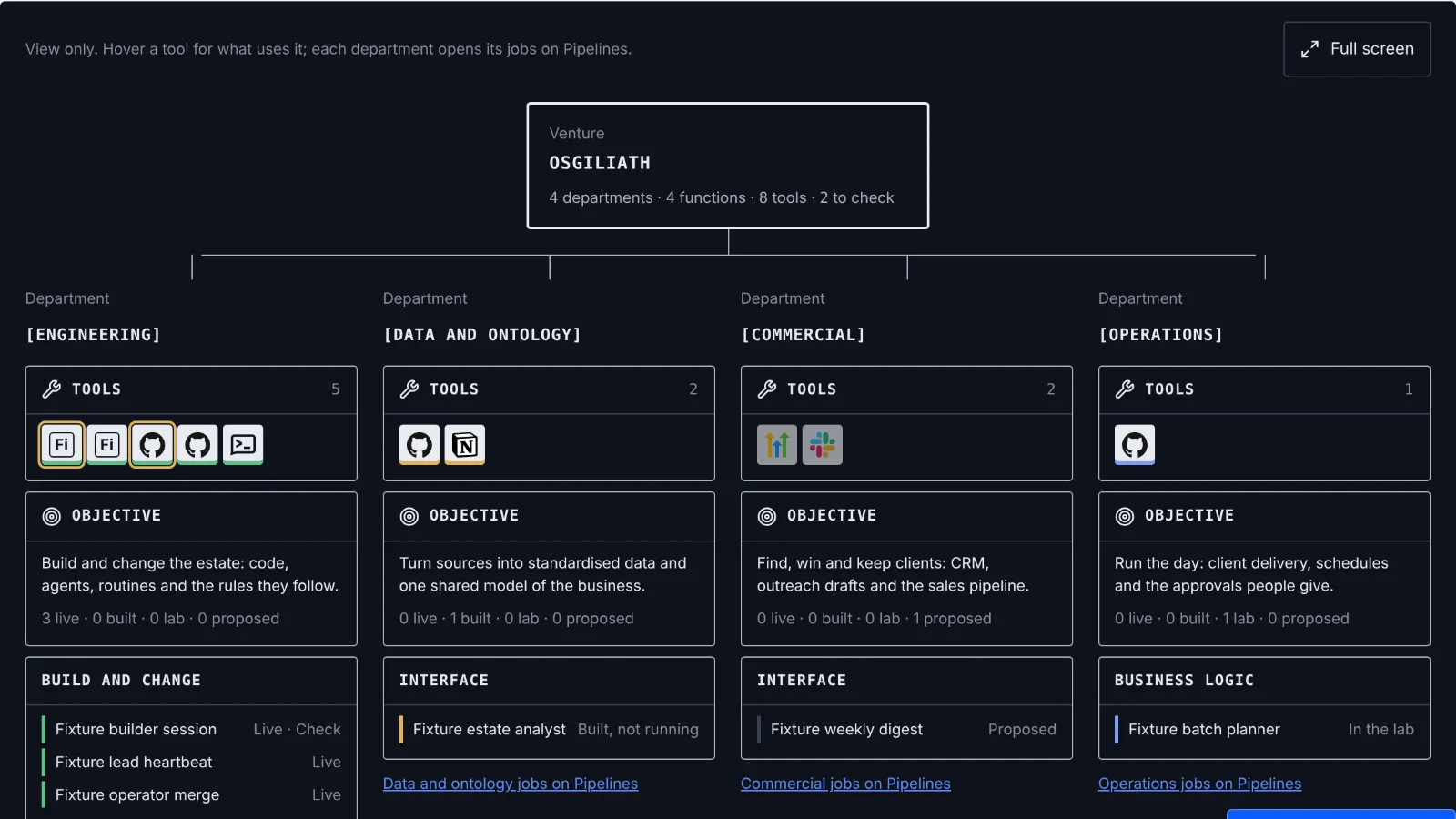
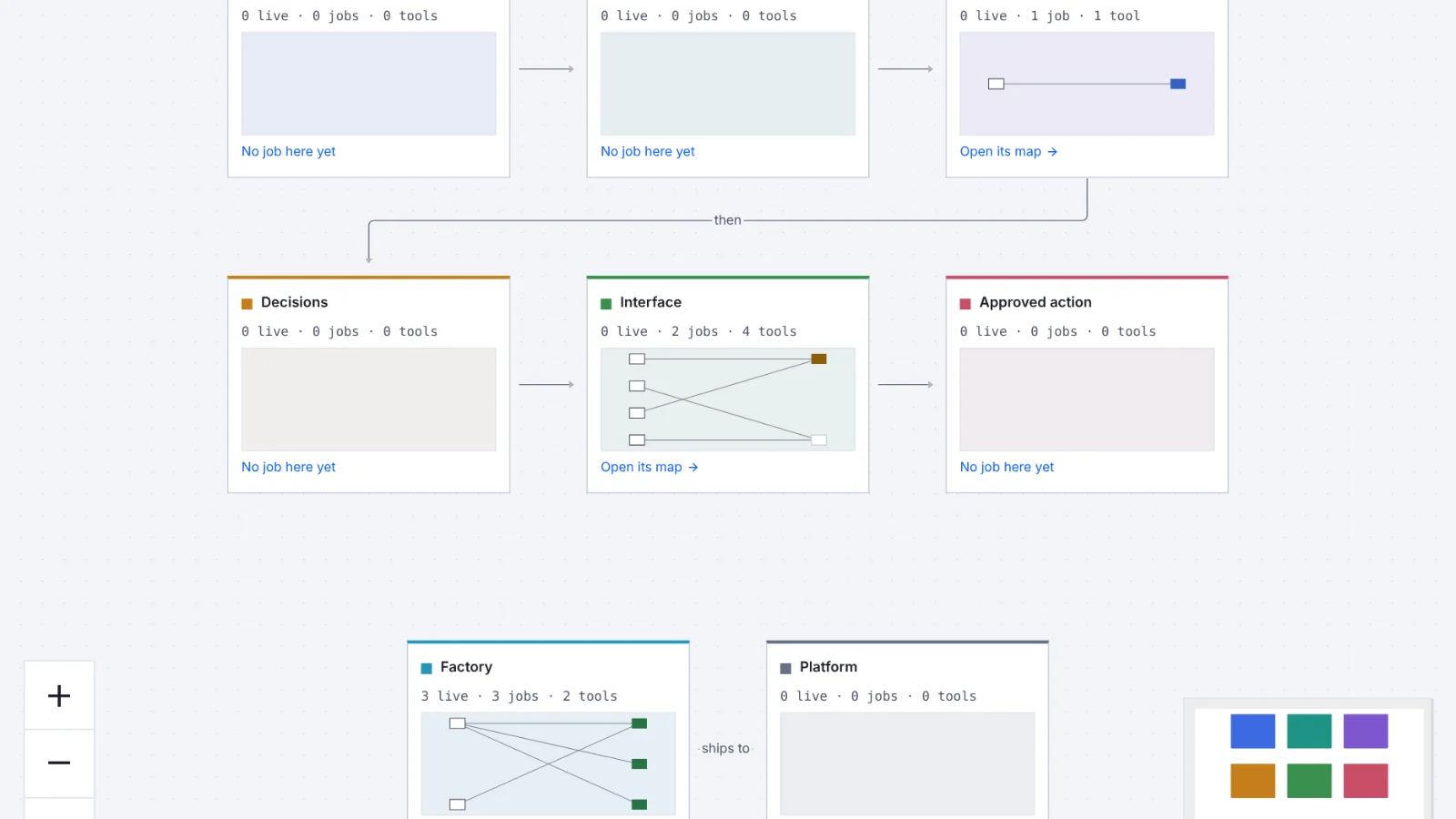
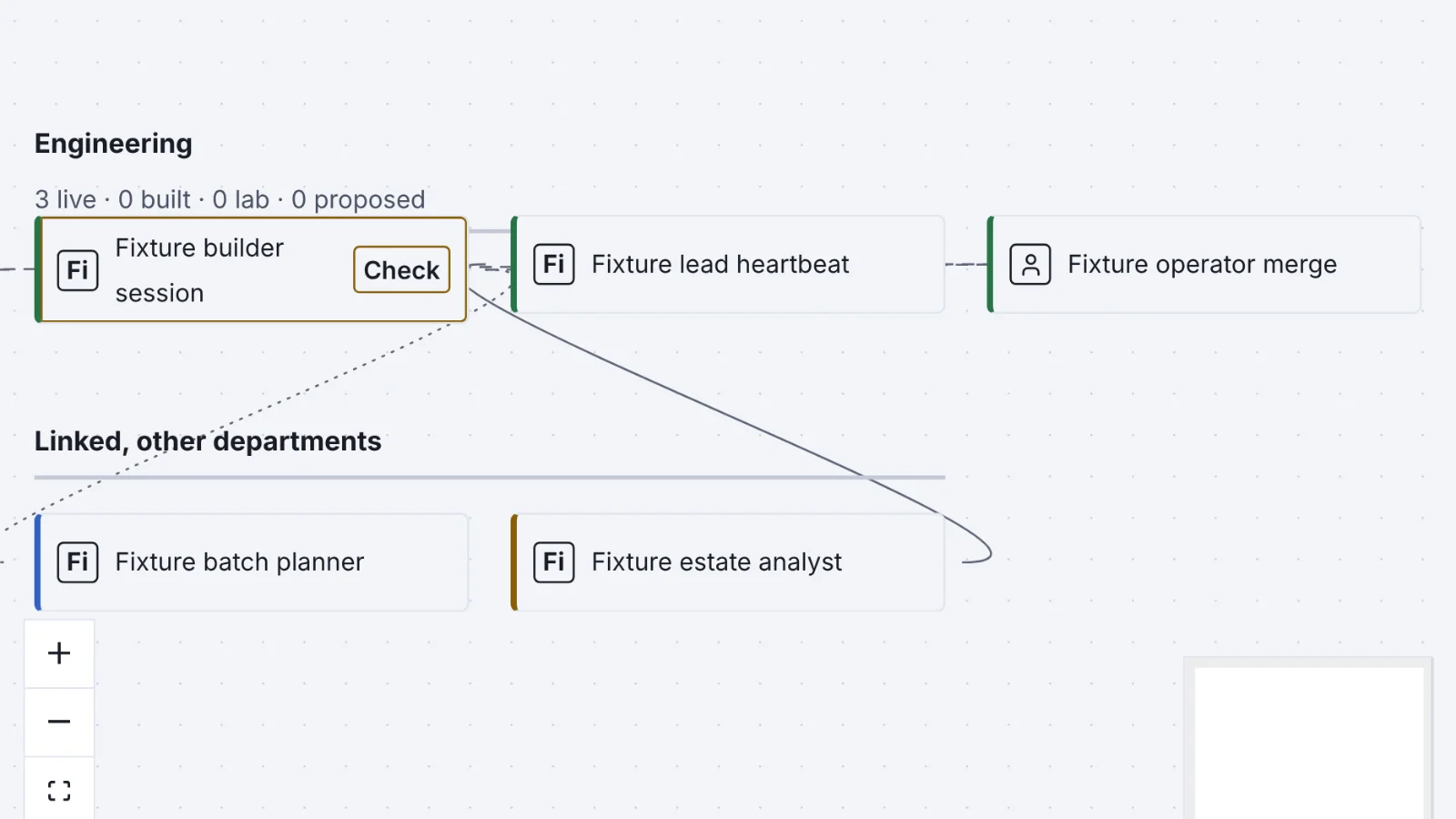
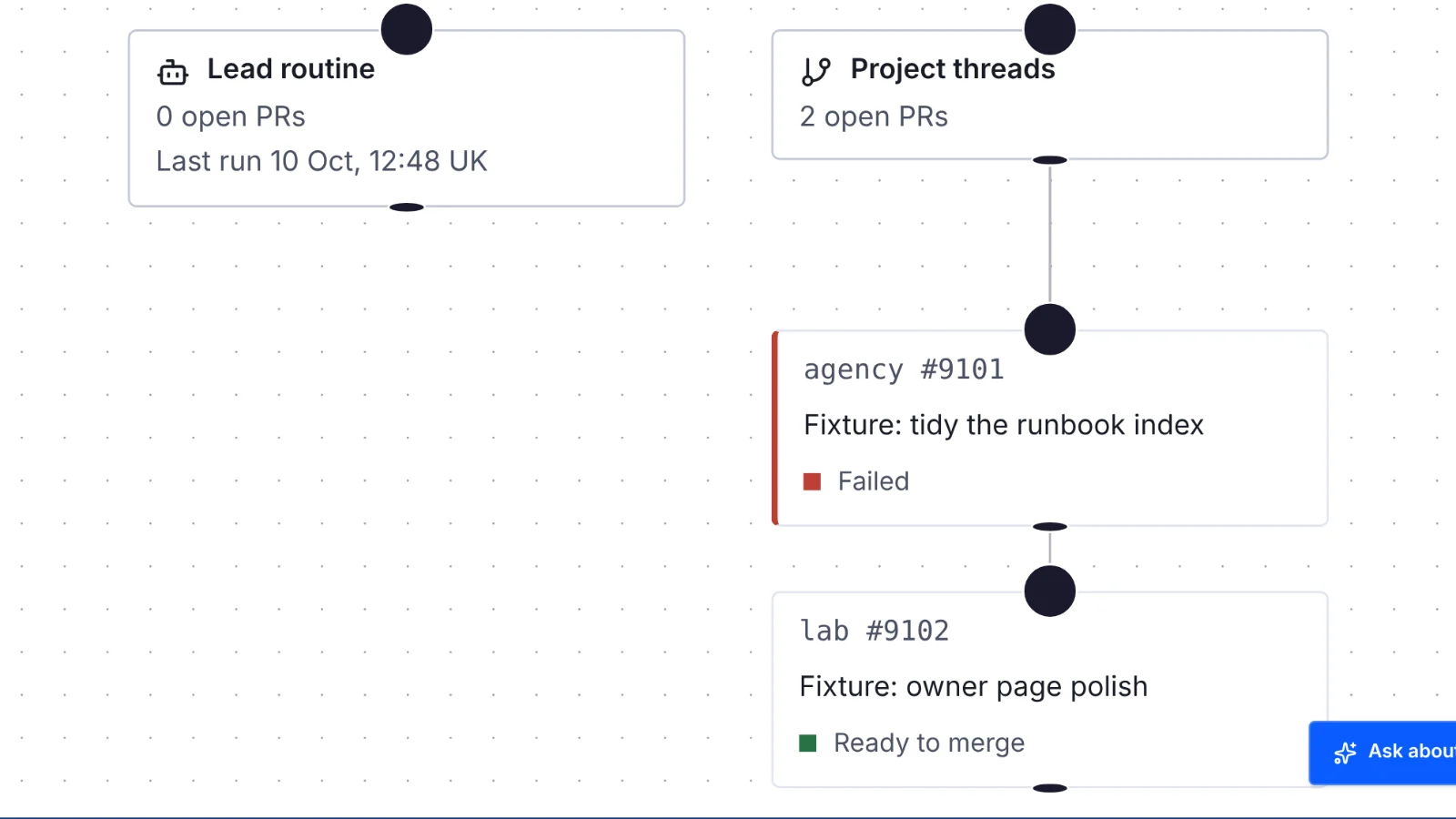
Client interface
A client app, as a template
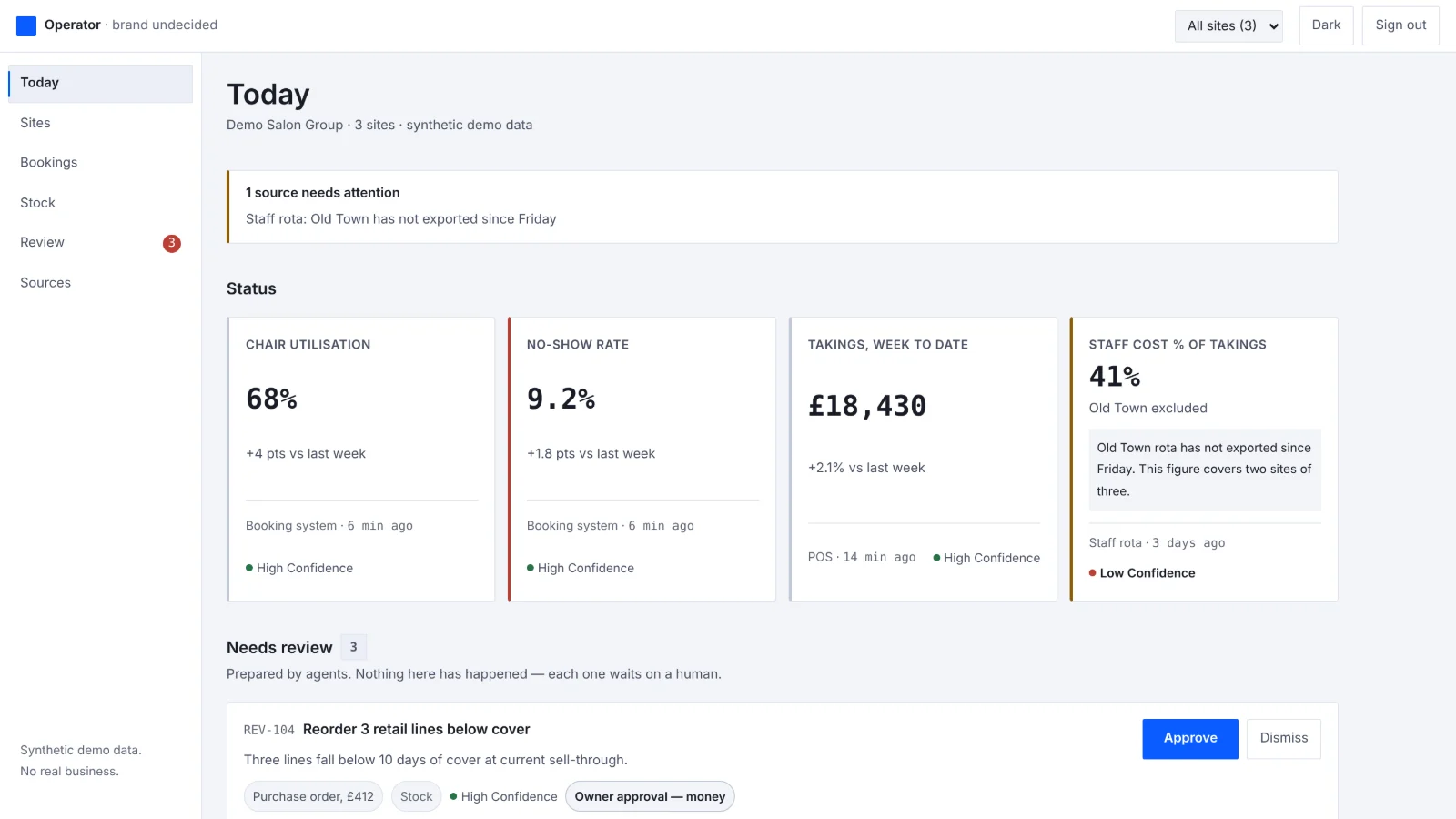
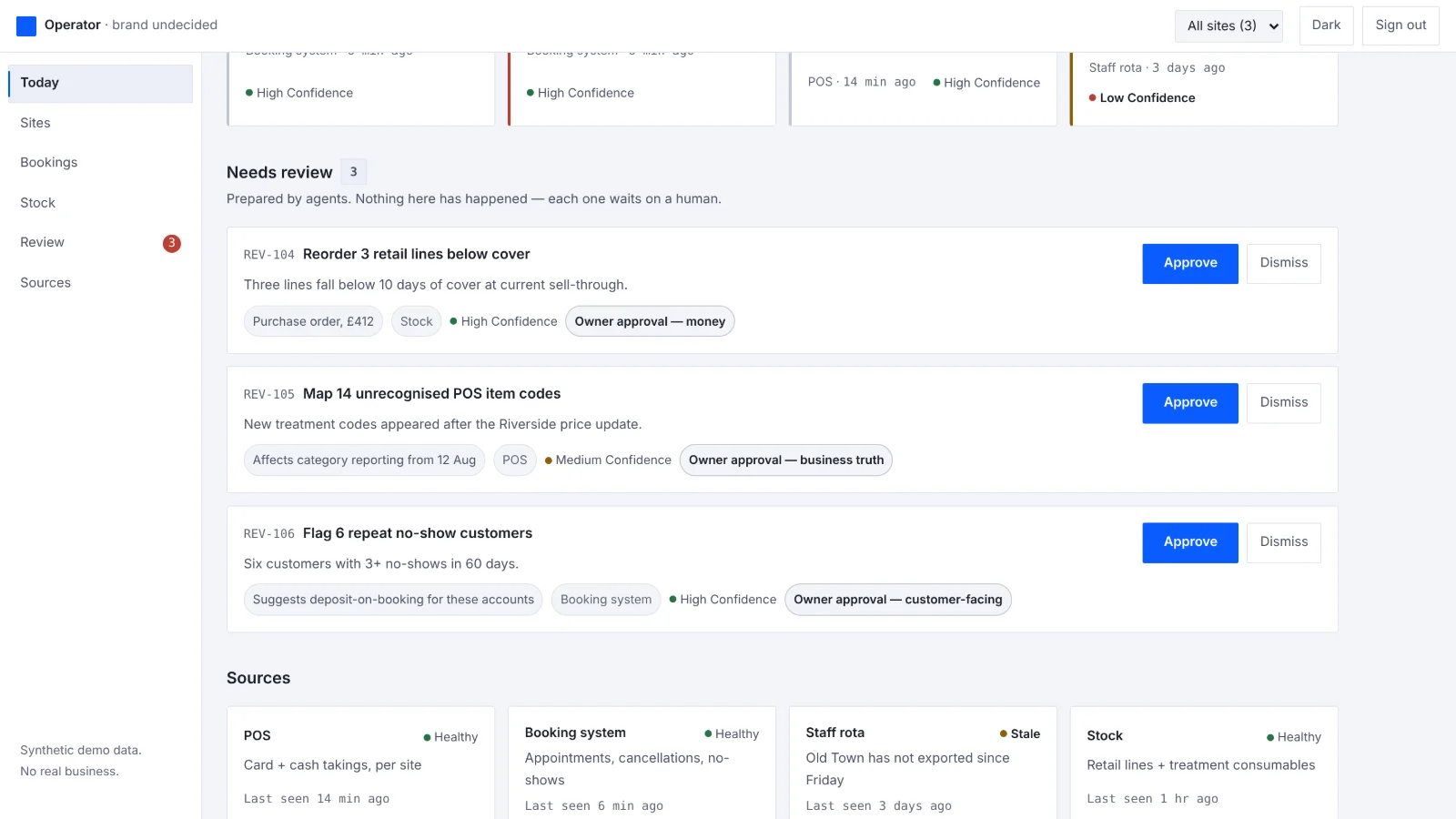
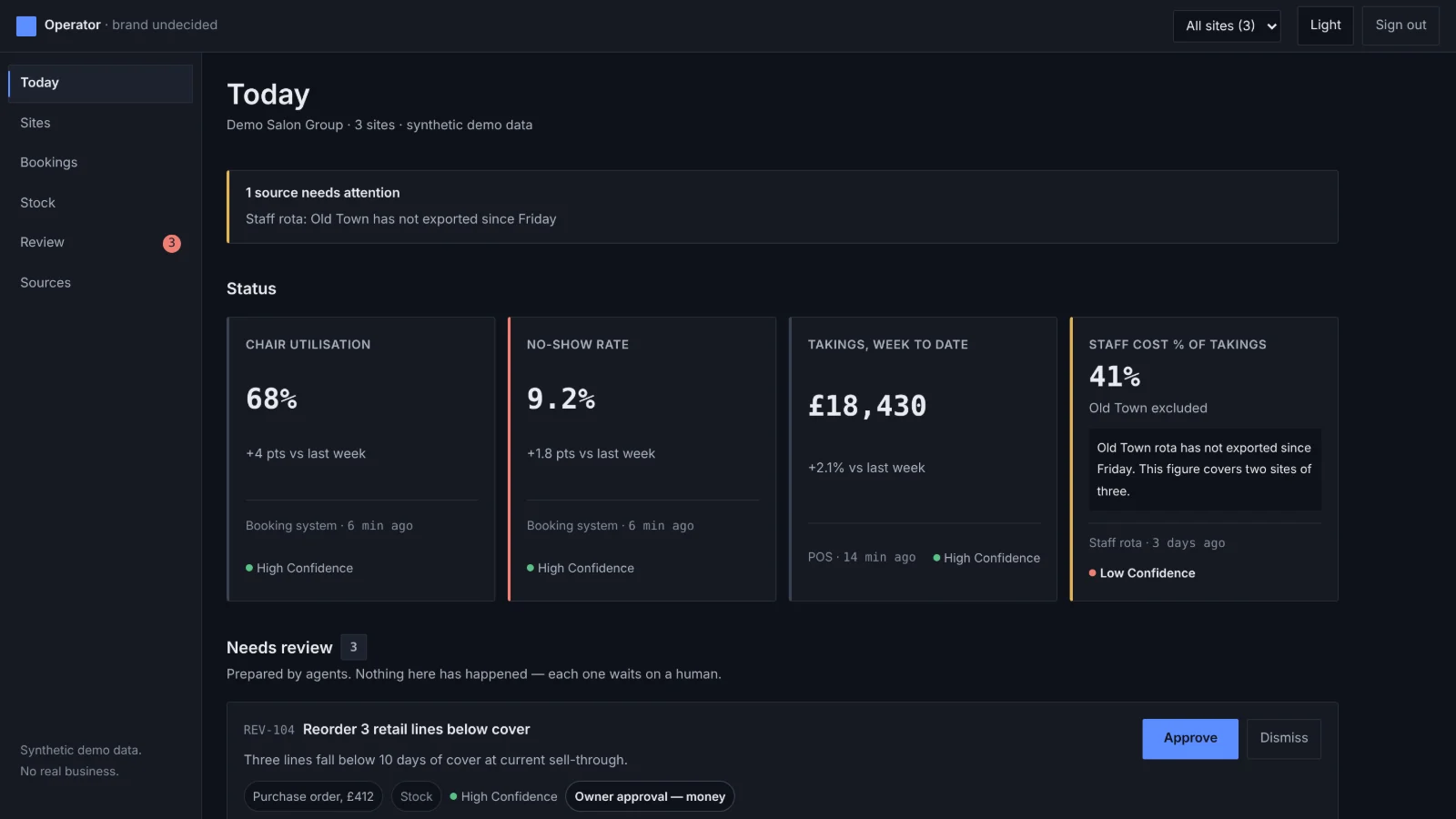
The app a business's owner and managers open each morning, shown on a made-up salon and clinic group with three sites: today's figures with where each came from and how fresh it is, a source that has gone quiet, and the queue where agent work waits for a person to approve or dismiss it.
What it answers
Five questions, answered with confidence
- What happened?
- What is happening now?
- What needs review?
- What can be trusted?
- What should be approved next?
We run on it too
The same method runs our own work
Osgiliath runs its own work the way it builds systems for clients: checked first, reviewed, and approved by a person before anything goes live.
Checked on every change
Each change starts on its own branch. Types, tests and the build run automatically, and browser tests and screenshots of every page run before review.
Reviewed separately
A separate AI reviewer reads each change from scratch before a person looks at it.
Approved before it goes live
Nothing is published until a person approves the evidence. This website is released that way.
Runs you can replay
We are building our pipelines to record each run step by step: which agent, model and tool did what, what it cost, and where it waited for a person.

Tell us what you're working on
Email is the best way to reach us. A few lines on the problem and the systems involved are plenty to start with.